
AI solutions we’ve built Example build
Requirements Studio
From interview notes to clear, testable requirements – needs pulled from interviews and surveys, vague wording caught, every requirement traced to its tests, and a backlog the product owner can defend.
The problem
- Weeks of interviews end up as a vague document nobody reads
- “Fast and easy to use” can’t be built or tested
- Changes slip in after sign-off, and nobody sees what they break
Example build – typical timeline
DiscoveryDays 1–8requirements, architecture, data and access
Build5 days2 proof of concept + 3 back end
In useDay 13working prototype
Production-readyDay 22refined with users, tested, rolled out
Working days from kickoff. Discovery is typical for a new client; from in use to production-ready, we refine it with your users every week. What it runs on and costs to run
Take the tour click a number or use the arrow keys
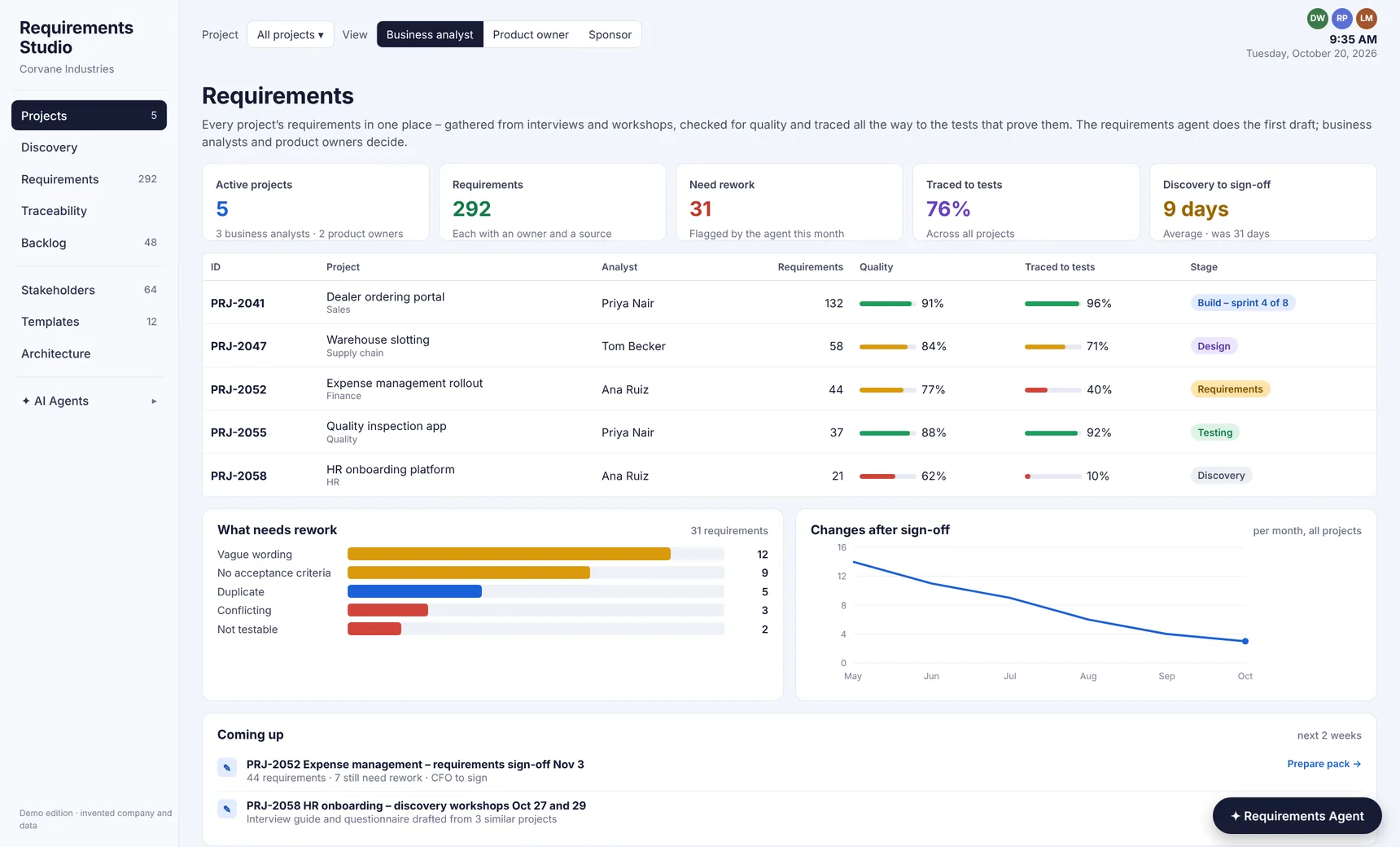
Every project’s requirements, in one place
Quality, traceability and stage for each project – and what needs rework
Watch it in about a minute
Built into your architecture
Requirements StudioRuns inside your environment – Claude drafts and checks, people decide
Jira or Azure DevOpsStories, sprints and tests
SharePoint and TeamsNotes, recordings and sign-offs
Your ITSM toolTickets and requests
SurveysDiscovery questionnaires